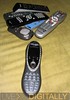
No there isn’t a typo in the headline for my review of the 2GB iRiver Clix, another portable media player trying to take a small bite out of the amazingly large pie that is otherwise known as Apple’s MP3 player market. I must say, whenever I get a new device to try out, I start off with some kind of desperate hope that it will be good enough to at least compete with the juggernaut that is iPod. For what I’ve seen to date, the Clix is close.
For a quick definition: the iRiver Clix is either a “portable media player” or an MP3 player capable of showing photos and videos (take your pick for which you prefer). It’s small (fits in the palm of your hand) and has a gorgeous screen. The most novel thing about the Clix is the fact that the screen itself is “clickable” – if you want to navigate up a list of MP3s, you actually click on the upper screen region. Sean Alexander has a video of using the Clix that really shows off the usage, graphical user interface (GUI), buttons, etc. One of my favorite ‘little touches’ of the Clix is the ‘hold’ button actually prevents the directional screen from being clickable while locked. Excellent touch.


Pictured above is the Clix in its standard carrying case, which is small enough to easily fit in any pocket. I really like the size and feel of the Clix, and also like the weight. In fact, it has the feel as if they intentionally made the device heavier than is needed, which I think is a good thing. I find the iPod way too heavy, and the Nano is way too light – the Clix is about the right size and right weight to do the job.
 iRiver did take a few packaging cues from Apple. When you open the main box, every little piece inside comes in its own smaller box. Then, inside each box is an individually wrapped cable. While everything is recyclable, I’d really like to see a few companies take an environmentally conscious step ahead of the design curve and have a whole lot less plastic and paper inside.


 The Clix did work extremely well “out of the box” and the first time I connected it to my PC, it immediately started charging and Windows recognized it as a “Clix” (even with a cute little icon). In fact, there wasn’t any plug & pray at all, it really worked exactly as expected. I had already upgraded to Windows Media Player 11 (now in second beta), so as soon as I selected to synchronize files, WMP appeared, all set to transfer media files.
Moving music and photos onto the Clix was quite easy. Drag and drop inside Windows Media Player, or for those who don’t feel like installing it (yet), you can also find your Clix as a drive inside My Computer (for the technospeak – it appears as a USB mass storage device).


 When it comes to moving video files, the Clix wasn’t nearly as graceful. This is actually my biggest disappointment with the device and probably the only thing that prevents it from being a head-on competitor to the iPod. The device natively supports a few video formats, which didn’t include Windows Media Video, which is a must-have for me (see the specifications for the list of formats it does support). The company referred me to try a third-party (open source) software called iriverter. It too, unfortunately, didn’t work.
 Once the files were moved over, I have to say using the Clix is a mostly satisfying experience. The GUI is very easy to use. I’ve tried handing it to multiple people tasking them to “play some music” and everyone figured it out on the first try. In fact, it’s almost fun to use it, even when you aren’t watching/listening to media. Without diving into too many details, the Clix media playback features are all the ones you’d want or expect, including queueing, playlists, rating, etc.


 During the transfer, Windows Media Player automatically converted my photos into the right size (320×240) and created a folder structure on the Clix based on the photo folder hierarchy on my PC. So “My Photos > Wedding pix” was perfectly replicated on the Clix. This has a slight drawback in that it isn’t configurable in any way, so when I dragged in a folder deep into my My Photos directories, the entire hierarchy appeared as well.


 In addition to media playback, the Clix also supports text browsing, Flash games (you can browse more to download here), has an alarm clock, FM radio, and a suite of other supplemental features. While 2GB might only hold a small portion of your media, I must say everything about using the Clix itself once media is tranferred is really a great experience. The only other drawback I had for the product is somehow the internal database in the unit I was using got corrupted. I actually had to do a whole ‘reformatting’ of the internal memory before I could use it again. This was an isolated experience, and easy enough to fix, but might have caused me more pause had I bought/unlocked a lot of music on the device.
For another detailed review, check this at Gearlive, or you can go to Engadget for a series of reviews. The size is right, the price is right, the product is good, the screen is great. My only caution is if you really want the product primarily for video playback, you may have to jump through a bunch of hurdles to get your files transferred properly. If you are looking for a really good iPod nano alternative, and your focus is more music/photos than video, I heartily recommend trying the Clix. Plus all the cool kids over at MTV are using it.


 Funny how easy it can be to accidentally create need in our lives. About a year ago this time I had a simple big-screen TV (used to do the projector thing, but


 Today, you can go to almost any store and buy some kind of case, protector, or sleeve for almost any digital device. One such product, the InvisibleSHIELD, takes this to a completely new level. InvisibleSHIELD is a “skin” of sorts that protects your device (in my case, a black iPod Nano) from all sorts of scratches, bumps, and scrapes. It’s made of a sort of clear plastic film, and completely covers your device, protecting it from everyday wear and tear.
 Courtesy // Scottevest
 Courtesy // Scottevest
 Courtesy // Scottevest