Archive for the ‘Mobile Technology’ Category

Introducing NextGuide

Friday, September 7th, 2012

It’s my pleasure to unveil my newest product, NextGuide.  NextGuide is a hyper-personalized TV listings guide designed specifically for the iPad™.  It’s been a six month labor of lots and lots of love, and I’m extremely excited to tell you about it.  In a nutshell?  We went to the drawing board and utterly reinvented the concept of the TV program guide.

If you think about the concept of a “guide” it’s something that’s evolved over 60 years from supporting 3 to 13 to 80 to 500+ channels.  But that’s really all it does, and let’s face it, we no longer live in a 500-channel world.  We live in a 500 channel, plus tens of thousands of hours of streaming content on services like Netflix, huge libraries of video on demand from our cable and satellite companies, as well as iTunes itself.  It’s effectively an infinite content landscape, and having so much content has crippled the formerly easy process of discovering shows to watch.

As an example, in my house at night, we start by browsing our DVR library, don’t see anything we’re in the mood for, then switch over to live TV.  After browsing (painfully) the grid for a while, we give up, turn on the Apple TV, and head to Netflix.  Netflix is great, but I have a tendency to see stuff I already know about – Mad Men, Dexter, Weeds, Breaking Bad, etc – all great shows, but not really anything new that I’m ready to consume.  Part of the problem here is catch-up TV: if I’ve never watched Mad Men before then I’m a good 80+ hours away from catching up to live, and that sounds painful.  Anyhow, after an unsuccessful attempt to find something to stream, I generally end up watching whatever’s on (either Cops, the Shawshank Redemption, or an infomercial), then go to sleep.  Sound familiar at all?

So we invented NextGuide, designed to actually help me discover things I *want* to watch. We do that by tilting the concept of Channels, Times, and Genres on its head a little, and instead focus on Shows, People, and Interests.

Shows – we believe people care more about the show they watch than the channel number or time it airs.  So NextGuide uses beautiful show cover art to make it easy to find things and “escape” the grid view of numbers and times.

People – we believe TV remains a central zeitgeist component to modern society. When was the last time you chatted with any friend about a show you like (or love)?  Probably in the past day or so.  NextGuide makes it ridiculously easy to turn conversations, not to mention Facebook Likes, into easily discoverable shows.

Interests – we believe people care about finding things of interest to them, personally.  We all have interests, from bands to sports, from cities to hobbies, and these interests define so much of our lives. NextGuide connects you to your interests, and finds them all on TV and streaming services, in a seamless, organic way.  Examples of what NextGuide’s found for me over the past few weeks: Bill Murray’s guest appearance on Letterman (seriously, how would I even have known that unless I watch every night??), a live Coldplay concert on Palladium (I didn’t even know the channel was in my lineup), and Bizarre Foods goes to San Francisco (not a show I normally care for, but had to see what Andrew found in my city).

That’s enough writing already, this is one of those apps you just have to experience to get a sense of what we’ve done. It’s a complete paradigm shift for TV viewing, and I’m happy to share it with you.  You can download it from the App Store, or watch our quick intro video below.

Introducing NextGuide from Dijit Media on Vimeo.

I can’t wait for your feedback, thanks so much for trying out the app.  Thanks to Apple for inventing the iPad so we could have such a cool platform to bring something like this to life. Extra special thanks to my family, friends, coworkers and investors who have made the process of inventing something disruptive more fun than I think I really deserve.

We are getting some amazing press so far today, here are some great pieces:

Oh, and here’s the actual announcement on our newly revised site!

Redefining TV in a Mobile World

Tuesday, September 4th, 2012

I had the honor to present on a “disruptive” topic at the Grow2012 conference last month in Vancouver, and, big surprise, I opted to talk about TV.  I decided to take a bit of a departure from many of my typical presentations and focus on the myths and truths (or at least truthiness) about disruption in the TV industry, with a focus on how our mobile lifestyles are changing the way we think about television.  Here’s the video (and slides):

Slides:

9 Shortcuts That Would Improve the iPad (with Keyboard) Experience

Wednesday, May 2nd, 2012

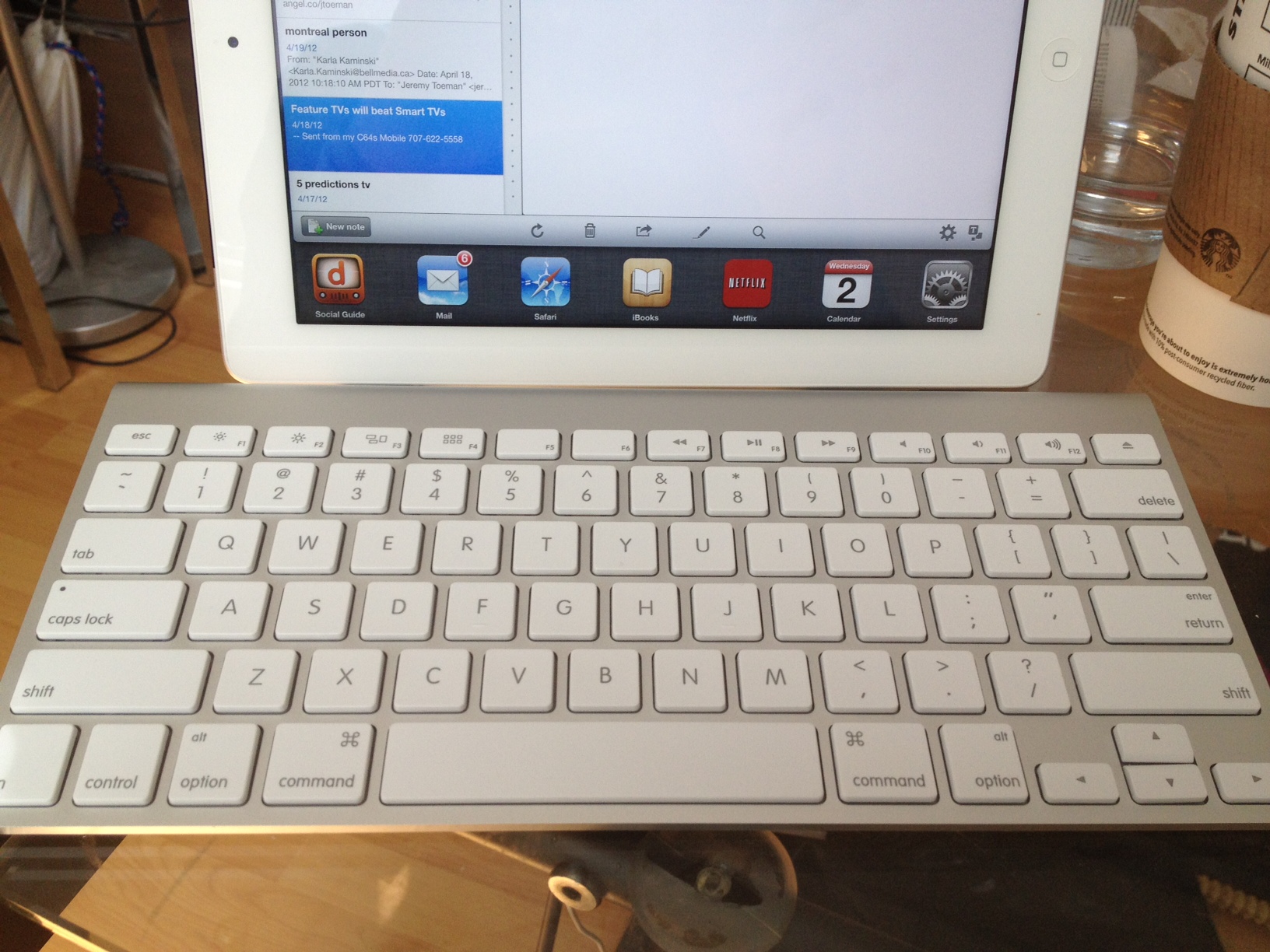
At this point, my iPad has effectively replaced my laptop for everything other than photo management and documents.  The former isn’t going to change, but I realized that having a keyboard might notably improve my ability to work on longer docs and emails.  I’m currently trying out the Apple wireless keyboard (with handy protective sleeve from local vendor SFBags) though I’ll also give the new Logitech ultrathin keyboard a try (if/when it ever ships).

In my first day the difference was notable.  I’ve created Evernotes, long emails, and in general found the keyboard goes a long way.  Yay for that. Further, there are some handy keyboard shortcuts that make using it even more pleasant.  But I think this could go a long way from where it is.  Granted, there’s no debate that the overall experience around finger-based controls and gestures absolutely trumps using a keyboard, but that doesn’t mean a few power features couldn’t go a long way.  Here are some hopefully easy-to-implement shortcuts that I think would improve the existing experience:

1. Multi-task app switcher (⌘-tab)
Pushing this combo in OS X results in an application switcher.  You can use your mouse to pick an app, or arrows to navigate between them.  Same functionality could be present in the iPad – and once you are using a keyboard, it’s actually fairly inconvenient to tap on the screen to do this.

2. Menus (⌘-N, ⌘-R, ⌘-D, etc)
In an app-specific sense, enable shortcuts for “menu features.”  For example, in Mail, ⌘-N could start a New Message,  ⌘-R could reply, ⌘-D could delete, etc.  App developers could have certain liberty here (potentially) or there could just be a limited set of commands.  Either would be good for any “text-heavy” app where the keyboard is in use.

3. Home  (⌘-Esc or ⌘-Eject, etc)
Simple one – exit the current app back to the home screen.

4. Navigation (⌘-cursor keys)
Per (1) above, but extend it further: if the user is in the “Springboard” interface (aka the “home screen” where you pick an app), enable me to rapidly scroll through apps (or pages of apps) with the keyboard.

5. Switch windows (tab)
Inside any app (with support), the Tab key should switch between windows/frames/inputs.  This is already present in Mail, but only when composing messages.  Why not elsewhere?

6. App shortcuts (⌘-1, ⌘-2, or F1, F2, etc)
This is definitely a “power user” feature, but let me assign 10 apps I use a lot, and quickly launch them from the keyboard.  Alternately, these could be restricted to the 6 apps in the Dock (at the bottom of the home screen).

7. Search (⌘-space)
Much like other tips above, this is borrowing straight out of OS X.  Especially considering the amount search is intended for active use within iOS.

8. Settings (⌘-,)
On my Mac, pushing ⌘-, shows preferences for that application.  In iOS, there’s a global settings screen (not to mention the plethora of apps that have their own).  This shortcut could launch either.

9. Settings Toggles (⌘-F1, ⌘-F2, etc)
Could be predetermined or user-configurable, but how about direct access to toggling certain settings, such as airplane mode, WiFi on/off, etc.  I’d want a Bluetooth one too, but it’d probably only work in one way…

I know in the grand scheme of things this is a pretty minor issue.  The grand majority of iPad owners aren’t using keyboards, and probably never will.  But if someone had time to program Siri with enough depth to tell Zooey Deschanel that it’s not raining out, I can’t see this being too far out of scope…

Some TV is Created More Equal Than Others

Tuesday, April 24th, 2012

As one could imagine, I end up in a lot of conversations about second screen TV apps, companion apps, social TV, etc.  Virtually every discussion takes some long varied road to get to a point where all involved agree that the only rule in building next generation TV platforms and products is this: not all TV shows are alike, and experiences must be built with this rule in mind.

Let’s start with #SocialTV – broadly defined in current terms as “people tweeting, checking in, and liking TV shows on social media platforms.”  While I’m pretty jaded in my belief that this is resoundingly uninteresting as a topic, it’s important to think of it on a per-genre basis, and in fact, a per show basis.  One could state that “dramas” for example won’t garner much social TV activity – who really cares about checking in to shows like CSI or House?  Then along comes Game of Thrones, rule broken.  Then you could use Game of Thrones data to claim people don’t tweet while watching live TV.  And along comes sports and reality shows.

When it comes to planning and thinking about how users may/will behave regarding social TV and shows, I recommend thinking about it from two perspectives: (1) live interaction and (2) cultural impact.  The personal drivers for a lot of these activities have to do with the social perspective.  People are interested in “connecting” with others, which drives the interactions (tweeting about your team, someone getting voted off the island, etc).  People are also interested in being part of the cultural zeitgeist – Game of Thrones is “in” and “cool” to tweet about, whereas CSI and House are not.

Next up are companion apps – smartphone and/or iPad apps designed for use during a TV show.  As above, the potential value creation here is entirely about the content.  Do users really want to pull out their phones and read trivia while watching an intense or immersive show like Game of Thrones or The Good Wife?  Doubtful.  Am I going to look away from a visually-rich experience such as Planet Earth? Or how about Family Guy, where half the show is visual gags?  Seems unlikely.  But during any reality show, game show, talk show, or sports? I’d guess there’s a huge opportunity here.

Same moral as above, the right companion apps keep the content in mind.  First, we really don’t need (or want) a dedicated companion experience for every single show that airs – it’s just plain unnecessary.  But regardless of that, the experiences should think about the audience and how they want to interact.  Sports is all about real-time and stats.  Cooking shows, on the other hand, don’t need a real-time experience, but yet offering recipes, how-to, pictures, etc that can be bookmarked, archived, and viewed in the future is quite handy.  Complicated plot-driven shows can offer complementary experiences that supply background or other pertinent information to help audiences keep up with whatever’s going on.

Enhanced content offerings - featurettes, behind-the-scenes, and other options that plunge the user in a further immersive landscape blah blah blah. Now, speaking as the guy who watched all 3 Lord of the Rings movies, extended cut, with director’s commentary on, there’s no question a marketplace exists for extra content.  Blooper reels.  Making-of’s.  Interviews with Cast & Crew.  The key focus again is identifying the right content for the right show and deploying it in the right place.

Do I really need a dedicated app for my iPad just to get extra content for each show I like?  Do I need to subscribe to something?  I think, fundamentally, content creators and technologists need to really spend time crafting the right offering for each individual show.  For example, having the “webisodes” of The Office available openly via Facebook each week is a great solution to enhance that offering.  But if I needed an Office app, with a new Office username and password, would it be worth the investment beyond the “Like”?  Doubtful.

Overall, the time has come for TV technologists, creators, producers, etc to work together to avoid one-size-fits-all approaches to TV experiences.  Every show, every network, every device, and every platform should be regarded as a unique opportunity to engage an audience and tell a story.  Except, of course, for reality shows about celebutantes, which should just go away. Please folks, just do the right thing here.  We can find a cure, we can make it happen.  We can do it!

Why 2nd Screen Superbowl Ad and Social TV Experiences Suffered

Monday, February 6th, 2012

According to Lost Remote, social media was en fuego during the Super Bowl this year.  Bluefin Labs contributed to these stats, and found over 12 million “social media comments” during the game.  Another element Lost Remote tracked were the plurality of Social TV Second Screen Apps in play:

The best second-screen experience: To start things off, we checked into the game on GetGlueMiso,IntoNowShazamConnecTVUmamiFoursquare and Viggle. Ok, that’s overkill, but we wanted to give them a spin on the biggest social TV event of the year. For starters, GetGlue sailed passed its all-time check-in, counting over 100,000 before halftime and 150,000 total for the game, 3X its all-time record (the company doubled its servers for the Super Bowl.) We’re let you know of other second-screen stats when we get them.

Now that doesn’t include the “official” Super Bowl app, NBC Sports, or a few other options.  But overall, I’m see a glass is half empty scenario myself.

The problem was in the experiences.  I tweeted a couple of times during the game, by using the Twitter app, which was native and easy to do.  The thought of launching another app, just to get something that would enable be to tweet never even crossed my mind.  In reality, most of these apps actually got in the way of the experience.  And yes, while there was tons of tweeting and updates occurring, I’d lay down a strong bet most of this was about people posting, not reading what others were posting.

I also found the Super Bowl ads highlighted two major flaws in the ad experience.  Shazam got a lot of pre-game buzz for all their ad partners.  Sounds cool in theory, but the experience is just plain lousy.  First, the commerical starts airing.  Then, at some point in the middle of the ad a little Shazam logo appears somewhere on the screen (I only noticed it a handful of times personally).  At this moment, the viewer must grab their phone, turn it on, unlock it, switch to the Shazam app, and then – and this is important – get everyone in the room to be quiet for 7-10 seconds.  Great in theory, but this is not a good experience for any user.

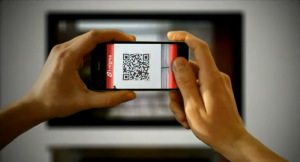
The second was a QR code which displayed on screen.  This in my eyes was even worse than Shazam, since QR codes require the user to have a QR app, which is just too obtuse for the average viewer.

worst. crossword. ever.

Compare either the Shazam or QR experience to having a simple URL onscreen.  Is it really easier to go through all the hassle and end up on the Honda website, or just tell the user to go to honda.com?  Plus, by obfuscating the simple methods, advertisers lose brand reinforcement AND are busy handing over the experience to a third party.  Similarly, when it comes to social experiences, is it to a consumers’ advantage to launch an app just to get an update into Twitter or Facebook, or to just use the native ones?

These experiences have come a long way, and are offering exciting potential for the future of TV and second screens.  But so far, we’re clearly at the infancy of what the consumer can use to really “enhance” a TV offering.  I hope some or many of these offerings will improve over the years, and really create a better experience, not one that makes us work harder just to watch TV.

It’s got a pen?!

Sunday, February 5th, 2012

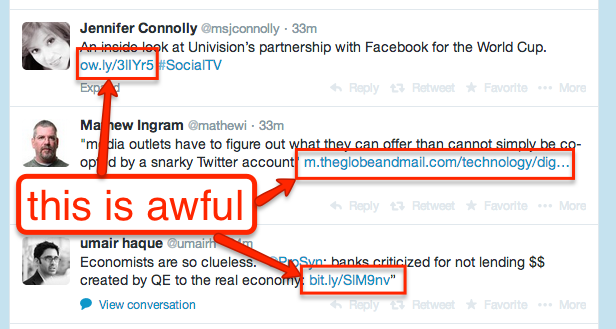
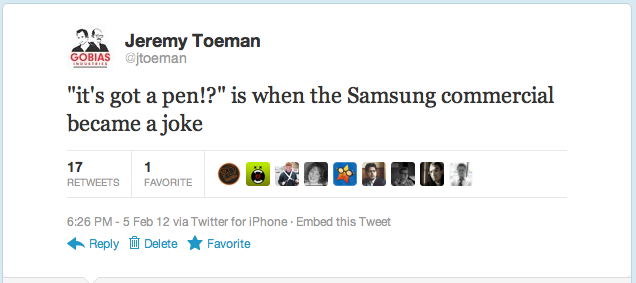
For the 14 people who missed the Super Bowl this year, a “notable” commercial was the debut of the Samsung Galaxy Note, which basically enlisted virtually every trick of the trade.  Hipster rock band? Check. Playful teasing of Apple users? Check. Flashy seeming new gadget? Check. Tablet with a stylus? Check.  Wait a sec, rewind, what is this, 1998?  Or, as I tweeted (and BTW, Twitter – yet another simple feature: enable easy embedding and reblogging of tweets to other platforms, because screenshots? really?):

So my advice this evening is to Samsung and everyone else competing with the iPad – which is actually nobody in reality.  If you want to play this game, you need to stop grasping at straws.  Go build a damn good product and the market will support your endeavors.  I’d heard some interesting buzz about the Note, that it might be the first “other” tablet to give the iPad a real run for its money.  And then? StylusGate.

Now wait, maybe it’s not about consumers.  Maybe it’s enterprise or other specific applications.  I’m sure there’s a decent market in several verticals for a tablet with a stylus (something I blogged about a full year ago now!).  But your marketing wasn’t about some productivity device, it was about consumers.

Does anyone really think any hipster, businessman, student, soccer mom, or any other typical consumer with an iota of self-respect would walk around using a stylus when everyone else doesn’t have to and can accomplish the exact same goals?  That commercial didn’t show a product superior to an iPad.

That’s the key thing here.  The stylus is showing up in an effort to get on par with the iPad’s user experience.

Except it doesn’t.

Not even close.

Did Manufacturers Lose $2 BILLION on Android Tablets Last Quarter?

Thursday, January 26th, 2012

Strategy Analytics announced today: “Android Captures Record 39 Percent Share of Global Tablet Shipments in Q4 2011″.  Bloggers go nuts with it, headlines such as “Android Grabs 10% Tablet Market Share from Apple in Q4 2011” and “Android tablets gain ground with 10.5 million sales in Q4 2011“.  Here’s a quick fact check: the report was about tablets shipped, not sold.  Sounds like a minor little nit, but it isn’t, and if you’ve never been inside the actual business of hardware before, it’s a fairly common mistake.

Shipping a product implies it’s been manufactured, packaged, and transported into a distribution facility, and in some way allocated by a retailer.  It hasn’t necessarily been purchased by the retailer yet, nor has it been sold to a consumer.  Which means a massive cost was incurred by the manufacturer, with no revenue so far.  Further, even if the retailer has made some form of purchasing agreement/commitment, they typically have many many ways to back out if units aren’t moving.  All, of course, at the expense of the manufacturer.  This is how Logitech lost $100 million on the Revues, as they made a bunch, but couldn’t sell them.  As Seinfeld might’ve put it: “See, you know how to ship the product, you just don’t know how to sell the product and that’s really the most important part of the product, the selling. Anybody can just ship them.”

So let’s go back to that report.  10.5 million Android tablets shipped in Q4.  Not too shabby.  Now Apple did just announce they sold 15.4 million iPads in the same quarter.  So we know we aren’t talking oranges-to-oranges comparisons already.

I’m going to add in a personal observation/anecdote here, take it with a grain of salt.  In the past year, at over 20 conferences, 30 flights, and possibly hundreds of meetings, I’ve seen about 15 android tablets in use “in the wild”.  I’ll go as high as 20.  That’s it.  Not only isn’t it close to 40%, it’s not even close to 1% of the tablets I’ve seen in use, in every major metropolitan area in North America.  But that’s not a fair way to look at it, so I’ll assume I’m off by a few percent, especially including the international market plus the recent hotness of the  Kindle Fire.

But let’s pretend they somehow sell-through 5% of the total tablet market, as defined by iPad sales.  That’s 750,000 units sold.  Maybe a little low, but as I scan the numbers from a bunch of different reports, doesn’t seem too far off the mark (NPD reported a grand total of 1.2 million non-Apple tablets sold between Jan-Oct last year).  Let’s bump it to a cool million, just to seem “fair”.  That leaves manufacturers with 9 million unsold tablets.

According to a variety of reports (best from iSuppli), tablets cost manufacturers between $200-$300 to manufacture, on average.  So again, averaging it all out (which isn’t exactly right, but that’s kind of the theme of my blog anyway, right?) at $250 times 9 million units equals holy crap.

$2,250,000,000

Oh, and this doesn’t include marketing, packaging, shipping, warehousing, taxes, and all the other costs involved.  Please, somebody, show me how I’m wrong!  No, seriously, I don’t actually want to be right here!

My Top 8 iPad Apps of 2011

Monday, December 26th, 2011

On Friday I listed my top iPhone apps that I’m using frequently.  Here’s the list of what I love on my iPad:

Evernote is one of my few mobile/iPad/Web/OS X utilities – I use it everywhere.  I have notes, future blog post ideas, libraries (I have virtually every quality “Future of TV” article written archives in a Evernote folder), lists, etc.  I keep copies of everything in my wallet, just in case.  I have an archive of every serial number of all white good appliances in my house (for when I call for service – especially the often-needed repairs – I’m looking at you, Miele and Whirlpool).  Everybody should use Evernote, all the time, for all purposes.  It might just save the world. Free (with paid upgrades for heavy users).

Note: saving the world not guaranteed by myself nor the makers of Evernote.

This “interactive storybook” has kept my 4 year old entranced for months.  It’s a simple retelling of the classic story, with some fun humor, and lots and lots of interactive elements.  There’s a little “golden egg” hidden somewhere on every page, plus tons of other clever little items.  One of my top 2 kids apps.  Paid app.

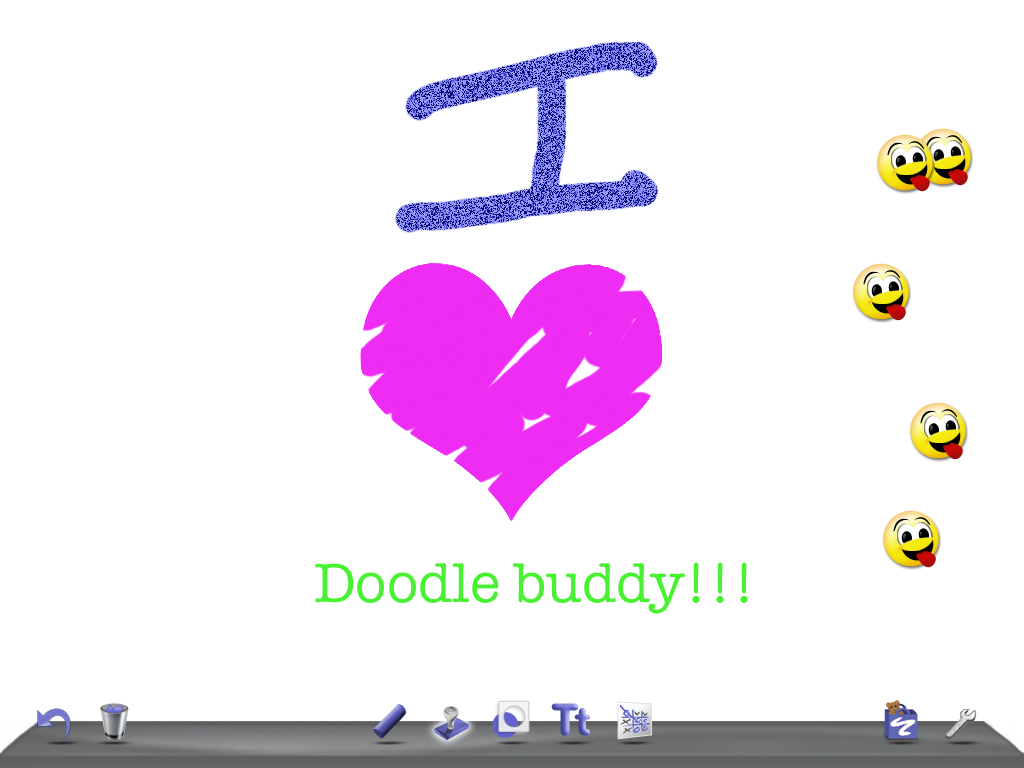
This is a great sketching tool, useful for me and fun for my kids as well – a very rare combination.  The app has simple tools for drawing and doodling, can import your photos for fun, and has a great “stamp” tool.  Only downside is each new build seems to add some new popup that wants me to pay for something – which I “get” as it’s free, but I’d happily pay them something to get rid of the popups forever.

This is the best Tower Defense game I’ve seen on the iPad (and I’ve tried most of them so far).  Easy levels are fun, hard levels are challenging, and the “madness” levels are so tough that beating them feels like a real accomplishment.  And unfortunately, I’m not Ender, so killing all these aliens is squarely a waste of time (except that I think everyone should play more video games.  possibly the real way to save the world, since I was definitely wrong about it being Evernote).  Awesome game, and one that the developers continue to improve, which is a major plus for me – one of the few games I’ve played on the iPad that keeps getting enhanced!  Paid app.

I do a lot of wireframing work, most of which I do using Balsamiq, one of the few desktop apps I’ve purchased in the past few years (worth every penny).  iMockups is not quite as polished a tool, but gives me the ability to do the same via the iPad.  It could use a few enhancements (search!), and isn’t the most beautiful app I’ve seen, but it’s a solid performer.  Paid.

I’m rarely a big “immersive experience and storyline” gamer – I tend to care about the gameplay, balance, and flow more than anything else.  But World of Goo is the only game I play where I make sure the sound is on and I can get into it for a while.  The game itself is a fun puzzler, it’s perfectly suited for touch, and the storytelling and ambiance is perfect.  I’m hoping for a sequel, but in the mean time keep coming back to finish the OCD levels (don’t call it that!).  Paid.

Parents: go download Toontastic now.  No, seriously, get it.  It’s an animated storybook creator, and the user experience is so great my 4 year old can fully make the animations himself.  And that includes the narration, background effects, character and scene selection, and every other perfectly customizable detail.  It’s really great, and even has tons of online sharing features for those into that kind of stuff (I’m not, but I know everyone else is).  Oh, and not only is it that great, it’s free. Wowza.

Zite is the only app to make both my iPhone and iPad lists.  It’s my ultimate source of “being informed” on topics I care about.  Yes Flipboard is more popular, and Editions is beautiful (and built by friends of mine but I had already gotten so deep into using Zite that I just couldn’t switch – sorry guys), but Zite just does it for me (and personalized flow of info is a big deal when it comes to news reader type of apps, so I understand why people get so loyal to the ones they start with).  When Zite got acquired by CNN I was pretty happy for the guys behind it, and now, months later, I’m still happy that it hasn’t become the “CNN” of news reading apps.  Love. Free.

And, just like in iPhone, here are the runners up:

  • AppShopper – keep track of when the paid apps I’m interested in go on sale
  • #sworcery - it’s beautiful, I just don’t find myself with the time to play as much as I want
  • NHL Gamecenter – on the plus side, I can watch the Habs play, either in real-time or catch-up.  on the unbelievably pathetic down side, I can rarely watch catch-up without seeing the score in advance, because apparently the NHL doesn’t seem to care about those of us who cannot watch live hockey at 4pm multiple days per week.
  • Sundry Notes - this is an amazing note-taking / scrapbooking style tool.  super powerful, probably awesome for college students.
  • Tilt to Live HD – fun quick action game
  • iSpadez – great spades game, with live multiplayer!
  • Ticket to Ride – perfect adaptation of board game, just wish they’d let me speed up all the animations.
  • Majesty – another fun non-RTS RTS game
  • Dropbox – yup, it’s Dropbox – on the iPad. moving on.
  • Kayak – taking the depth of booking travel and making it work on an iPad is a challenge, and the Kayak app hits it out of the park
  • Waze – great on the iPhone, even greater on the iPad – free turn-by-turn nav!
  • Catan HD – would make my main list, but the app is just too unstable.
  • ColoramaMask – another fun drawing app for kids
  • Fingerzilla – crush, stomp, tap, destroy!!!
  • Pat The Bunny – good kids interactive experience
  • Talking Tom – silly fun
  • IMDB – if you are a movie nerd like me, you probably don’t need to be told about the app…

The most interesting revelation I had whilst writing these two lists is the breakdown of paid vs free apps.  On my iPhone only 2/10 “top” apps were ones I shelled out invisible coins for.  Whereas on the iPad, 5 out of 8 were paid (though if memory serves at least one was a free weekend download, but I could be wrong).  If I was a real reporter I’d go through my transactions to figure out how much money I’ve spent on each platform.  But I’m not, so instead, thus endeth the blog post.

My Top 10 iPhone Apps in 2011

Friday, December 23rd, 2011

Sharing your favorites seems to be the hip thing to do, so I thought I’d share my absolute favorite apps on both my iPhone and iPad (not including any default iOS apps).  These are basically the apps I use all the time, and really enjoy using. There’s also quite a few apps I use daily, but might not like as much, as well as apps I think are amazing, but only use on a very infrequent basis.  And there are also apps I don’t much like and rarely use, but I didn’t really see the point in including those…

One other note – I picked apps from all categories, including games, social, etc. Also, I didn’t deliberately pick 10, it just worked out that way.  First up – iPhone fave’s (in no particular order, btw).

Chef’s Feed is a fun app for foodies (wannabe foodies as well).  The app has a list of the “top” chefs of a city, and said chefs have picked their favorite dishes (not restaurants) to eat.  The app lets you make a bucket list of dishes that appeal to you, and also is a handy way to find a good bite when you aren’t sure what to eat. Free app.

It’s like Scrabble, only more “balanced” so players at many levels can really enjoy the game.  Vocabulary and knowledge of “Scrabble words” is very helpful, and tile placement strategy is essential to win, but regardless, it’s possibly the best non real-time game time waster app out there. Free and paid versions.

It’s a good photo taker, but more importantly it’s a fun photo editor/filter.  Simple effects, easy cropping, and simple sharing (though I wish they’d just let me send images instead of creating a whole new link/web system). Paid app.

Simply put: Test Flight lets app developers send you their apps prior to putting them in the iTunes App store. It’s great for previewing or testing out apps in development. If you are an app developer and are not using Test Flight, you should start now.  Free to consumers, paid by developers.

GrubHub is an app that replaces all the crappy little delivery menus restaurants leave on your door (though hey, free rubber band).  They have tons of local restaurants, plus in-app ordering, and, as pictured above, an order history which makes it super convenient to remember where you liked (or hated) to eat.  Free app.

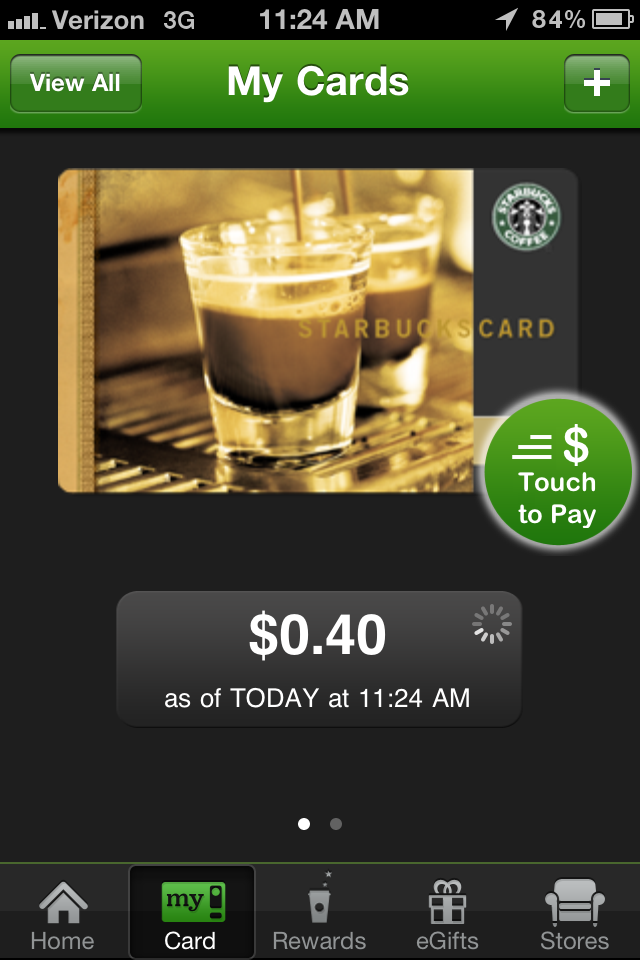
Yeah, I know, cliche, whatever. You prefer Blue Bottle, great, so do I, but $12 for a latte that takes 45 minutes to make doesn’t always work out for me. The Starbucks app does one main thing: let me not have to carry my Starbucks card around.  Nice.  Free app.

Guess what this app does?  Free.

After Words, Temple Run is the next best time-killer game I know.  Basically, you run, and run, and run, and then run a bit more.  You jump, duck, pivot, and you turn yourself around, and that’s what it’s all about.  Free.

Free personalized radio on your iPhone.  Any questions?  Nah, I didn’t think so. Great for road trips.  Free.

Gosh I love Zite.  Zite brings me articles I want, on topics I like, and does so with sickeningly good accuracy.  While Twitter (and vis-a-vis Flipboard, Pulse, etc) are great for bringing me feeds on a variety of topics, the one thing these apps fail to deliver for me is topical content based on my interests, not my followers or those I am following. I open Zite, I find content I like.  Life is good. Oh, and – free.

That’s my list of favorite iPhone apps, hope you enjoy.  Here’s the quick list of “runners up”:

  • Plants vs Zombies - it’s fairly new to me, I’m having fun playing but I’m not sure how long it’ll hold my interest.  Could be a winner, not sure yet.  Paid.
  • WhiteNoise – self explanatory. Free and paid versions.
  • Flixter – movie lookups (solid app, just don’t get to see many movies).  Free.
  • IMDB – satisfies inner movie nerd needs. Free.
  • Path – just started experimenting.  Beautiful app design. Does all that Facebook stuff, only without the massive invasion of privacy.  Also, just for your real-world friends (you remember those, right?). Free.
  • Twitter – read description of Path above.  Now think the opposite of it.  Free.
  • Yelp – great to look up restaurants I already am thinking of going to. Not useful as a restaurant recommendation/finder app.  Free.
  • CardMunch – take picture of business card, scans it, sends to the Internet, comes back as LinkedIn contact.  Previous version of app was notably better than current, but still works great. Free.
  • Expensify – if you do a lot of business expensing, you must have this app.  Free.
  • Sonos – controls my Sonos.  Would be on the must-have list, but I know not everyone has a Sonos.  Free.
  • AppShopper – great app, lets you create a “wishlist” of apps you want, then notifies you when they go on sale.  Free.
  • iHandy Level – it’s a level.  comes in handy.  Free.

Anything you think I should check out – leave a comment!  iPad version of this list coming soon!

ps – I’d include Dijit, but that’s cheating. :)

I’m in like with Siri

Tuesday, December 6th, 2011

While Mat from Gizmodo is calling Siri “Apple’s broken promise” (and he makes valid points) I see it a totally different way.  I’ll open with his closing argument:

And for me, once the novelty wore off, what I found was that Siri is not so intelligent after all—it’s simply another voice program that will obey very specific commands. If it knows those commands. If it can understand you. And if it has a network connection. Were this Google, or Microsoft, I’d shrug. But it’s not, it’s Apple. And Apple is the company that sells perfection. It’s a company that usually keeps its promises, and in its Siri ads, it promises far more than what it actually delivers. That’s not what any of us signed up for.

I’d agree with most of that.  So it’s really about managing expectations.  I will agree with Mat that the commercials and hype around Siri do not set the right expectations.  If you think you can talk to your phone and it’ll just do exactly the thing you said, the way you meant it, you are in for a world of disappointment.  This was about how I felt back in the first few days of taking Siri for a test spin (talk?).

Now, a few weeks later, I’ve found Siri a great component of the iPhone 4S overall experience.  Today I had to get to the office, was driving, and was in a rush.  ”Driving directions to work”.  Perfect.  Last week, wanted to know when Hannukah starts.  ”When is Chhhhanukah?”.  Winner.  Again, driving, running late to get home.  ”Send a message to my wife” followed by “Stuck in traffic will be home soon”.  Bingo.

If you can get your head around how Siri works, what it knows, and more importantly, what it doesn’t know, you can really enjoy the ability of controlling a device by talking to it.  It can’t do a whole bundle of things I want it to do, for example:

  • “Turn on Bluetooth” – this would be awesome.  Not present.
  • “Launch Evernote” – yup.
  • “Read me my last email” – cool, thanks!
  • “Browse www.livedigitally.com”. must-have.

There are effectively no limits, no upper bounds to what an enhanced or improved interface could offer over existing ones.  This is true for gestures, for voice, for physical recognition, etc.  But, in all cases, the user must know absolutely what they’ll be getting out of that experience.  If the consumer expects too much, and is delivered too little, they’ll abandon it.  This is true for trusted experiences as well – if a gesture is inconsistent, or voice-to-speech is intermittent – consumers will try it, play around for a while, but mostly give up on it.

For me, Siri is in the “it can be handy from time to time” category, and as such, is something I’ve grown to like. I don’t use it often, because I know when it will/won’t help me out, but my “hit rate” is pretty good these days.  It also has a good potential for amusement

No, Microsoft, this will not do. Not at all.

Tuesday, September 13th, 2011

Microsoft introduced Windows 8 for developers today, with a specific focus on their take on the tablet.  Now some are fawning over this, but they clearly don’t recall a summer day in 2005 when Microsoft showed off Vista for the first time.  I was there. It was, in a word awesome. The early demos of Vista blew us all away, it was as if we were at the Windows 95 launch all over again.  Then Windows Vista came out, it was *nothing* like the demos, the train blew through the station, and the company’s been in a bit of a quagmire ever since, losing market share as well as credibility and prestige in virtually every category (other than Xbox).

roughly as on target as Vista was...

So today, when they show us a decently cool looking version of a tablet that isn’t going to ship for another year, after series of missteps, I’m sorry if I don’t really get particularly excited.  Particularly when I see it’s got a fan inside.  This entire move, yet again, makes me wonder: who on Earth are they building this for? What is the real market opportunity here?  Even if the Windows 8 tablet *is* as good as the current generation iPad 2, that’s chasing a product that’s already 6 months old, and will be 18 months old by the time they are in the market.  Didn’t these guys watch the movie called “HP and the Wacky Adventures of the TouchPad”?  We’ve seen how it ends!

works like nothing... else...

There really is a great market for non-iPad tablet devices, there are a few in fact.  And Microsoft is perfectly poised to build a really great tablet.  But I don’t think that perfect Microsoft tablet is about consumers, nor is it about Windows.  These markets are, at present and for the foreseeable future, mostly closed to Microsoft, and they’ll have little luck there.  So empty your heads, don’t think of anything – they’ve only got one shot at this. Microsoft needs to focus on the other key product they have, the one software package Apple can’t really touch, the one where they make a boatload of cash.  Yup, it’s Office.

yes, that WAS a Ghostbusters quote, well played!

I can write another 1000 or words on the topic, but I’m going to keep this one short and sweet.  There is unquestionably a great business opportunity in a tablet device with a great Office productivity software suite.  If the iPad is a consumption/entertainment device, then for jebus’ sake, Microsoft, learn how to cross-program, and offer a completely different thing.  And do it really well, with no big committees, and nobody who’s worked for the company for more than say 4 years.  And then go let Dell build it.  Oh, and don’t standardize (read: compromise) – make one product that works one way, no drivers, fragmentation, or anything else.

ah, that's how they get so much done!

And please, don’t tell me about it until it’s ready to ship.

Does anyone *really* use Android tablets?

Friday, March 25th, 2011

My friend Harry has done some deep sleuthing (read: he Googled it) and it’s seeming that two of the “user testimonials” in Samsungs latest ads are in fact made by actors:

I did notice, however, that freelance travel writer Joan Hess bears a striking resemblance to New York actress Joan Hess:

And that real estate CEO Joseph Kolinski could be New York actor Joseph Kolinksi‘s twin brother:

Filmmaker Karl Shefelman, on the other hand, looks a lot like…filmmaker Karl Shefelman. Who works for a New York production company. One that’s done work for Samsung.

Don’t fret too much folks, they aren’t the only ones to have faked some reviews.

Now I know I’m a long-time non-fan of Android, and my experience with the Xoom is only exacerbating those feelings, but really, what is going on here?  I wrote a post back in the day explaining why I felt the tablet market was generally doomed, but the iPad proved me wrong.  Or did it?  Is the reality that only Apple can ship a “tablet-like product” successfully?

I think the answer might be something like “for the overwhelming majority of regular people, absolutely yes.”

As far as I can tell, the best use of any Android tablet presently on the market is to develop apps for Android tablets.  Yes, I’m dead serious with that comment.  Laptop mag just did a head-to-head comparison with the Xoom and iPad 2, and somehow actually managed to make it a “close call” – but then again, the guy writing it somehow managed to find the Android interface “better” than the iPads.  If you are technically proficient, interested in widgets, and like coding, I could see that perspective.   If you aren’t, it’s flat out wrong.  But I digress (like usual).

So I come back to the key question here: who is using these things, and to what end?  I’ve *never* seen one in the wild, and I live in the utter mecca of techieness (heck I even see Nooks on the bus to work).  Further, I’ve yet to meet a single person outside of the tech echochamber who is even really aware of these devices, let along truly in the market for one.  Go to the retail stores and try to get demos – there’s typically at most a single person in a store who even knows how to demo them (and yes, I do go to stores and do ask these kinds of questions – and anyone who claims to understand regular consumers and how they use technology should do at least the same)!

I’m working on another post (coming soon) on where I feel there is a market opportunity for HP and the like to bring tablets to market successfully, but if there’s one aspect I’m utterly convinced of – there is virtually no consumer market for non-iPad tablets. And by “virtually none” I’ll go with “about a million in North America, maybe two tops.”