Archive for May, 2012

Is there a market for Ultra High Definition TV?

Tuesday, May 29th, 2012

Quick history lesson. From the birth of TV through the invention of cable TV and the VCR, picture quality was effectively the same. Along came DVD, which doubled the screen resolution to 480p, ooh ahh. Then along came HDTV with 720p. Then 1080i, and now we’ve “settled” on 1080p. Only we haven’t – the next two resolutions are already picked, they’ve been called 4K and 8K by the industry for a while, and just got fancy labels with “Ultra High Definition Television.” And much as I’ve always considered Blu-Ray a loser format, I believe the same fate is in store for UHDTV.

First, the picture quality is virtually imperceptible. I’m pausing for a second as rabid video engineers attempt to tar and feather me, but on a 50″ screen from about 10′ away, 4K looks roughly the same as 1080p – which, while I’m at it, looks roughly the same as 720p.  Unless you really really really know what you are doing, and really set up your room properly, and really have the right size TV for the distance from your couch, and really watch the right source material, and really really really – you get it.  But for most regular humans watching most regular TV (which, I might add, isn’t even being broadcast in 1080p – what? yes, it’s true – if you are watching TV, you are not watching 1080p. deal with it), your existing HDTV setup probably looks beautiful enough as it is.

Second, even if you can tell the difference, it’s not impressive enough. I distinctly recall watching my first DVD, and I distinctly recall my upgrade to HDTV.  Each were monumental shifts in resolution and display quality. It’s reminiscent of upgrading to a retina display iPhone/iPad. But then what? If the next shift upwards doesn’t bring the same “ooh, ahh” moment, it’s a resounding “meh” – and “meh” doesn’t sell new TVs.

Third, it’ll be perfectly timed for “higher quality format fatigue” to set in.  As I’ve described above, consumers already finished going to stores to upgrade to get to the promise of “FullHD” – which, again, generally isn’t even being broadcast in FullHD. Going from FullHD to UltraHD is just going to make folks wary, if not pissed.  Nobody likes to think their recent investment as worthless, regardless of the plummeting prices of flatscreens.  It’s too little, too soon.

Fourth, there won’t be enough content. Whenever 4K sets are available, and I predict it’s coming within 18 months, odds are really low that a corresponding broadcast source or streaming medium will offer 4K videos. Unless a huge back catalog of content is released at the same time, most of which doesn’t even exist at 4K resolution I might add, consumers won’t see a compelling reason to upgrade.

Fifth, streaming won’t support 4K into homes anytime soon, and physical media is dead, which means there’s not going to be 4K content anytime soon. Per above, no content equals dead format, and since we don’t really have the infrastructure in North America to support a wealth of content…

Sixth, and it’s a minor point, but how can you have two different standards with the same name?!?!? Consumers hate that stuff. Quit it!

Much as the MP3 killed high definition audio long before its time, I believe streaming video and a lack of perceptible difference will kill ultra high definition video long before its time.  My advice to the industry: slow down, you move too fast. I know you are losing money on just about every TV you sell, and I know that’s not changing anytime soon, but 4K in 2012/2013 is not your answer.

My advice to the industry at large:

  • Don’t launch without a huge content library.
  • Don’t launch without multi-brand support.
  • Don’t launch without an all-streaming solution.
  • Don’t launch too expensively.
  • Don’t launch with a negative campaign against existing HDTV installations.
  • Don’t launch til you have it all perfect.  You aren’t there yet.  Stay quiet until you do.

ps – sorry for the gross picture.  :)

pps – to videophiles who want to nitpick with some detail I’m sure I got wrong – please do so constructively!

Why Apple Will Make a MacBook Touch (eventually)

Monday, May 14th, 2012

A few weeks ago someone mocked up a concept MacBook touch, and in a nutshell, they way-y-y-y-y overthought it.  After a week(ish) using my iPad with an external keyboard, I can see how the worlds could and should collide.  And I think it’s exactly what Apple plans to do – one day. The concept is already as much as there in their products anyway: ship Mountain Lion with the ability to “launch” iOS.  That’s it.
In the current OS X, Lion, we already have LaunchPad, a feature clearly designed for a touch-screen interface, mainly because it’s the exact UI for iOS apps.  This would/should be touch-enabled.

Next, OS X already has an App Store, the inventory of which could easily expand to include iOS apps.

The LaunchPad would become the primary “desktop”, and Finder would move to be an app instead of the primary navigation metaphor.

Apps could then be written as OS X, or OS X with touch, or iOS.  Standard OS X apps would function like they do today, expecting a mouse + keyboard interface.  That’s the easy part.

iOS apps would go into full-screen, thought likely not include the ability to rotate – but maybe they wouldn’t have to.  The next-gen MacBooks are already rumored to go retina anyway, which provides enough pixels for a portrait-mode app to run on the screen size of a 13″ laptop.  Granted, a ton of apps would work poorly – things that require lots of motion sensitive or heavy gesture inputs.  But maybe that’s okay.  Maybe this isn’t about a laptop with great Infinity Blade capabilities, it’s a bit more focused on productivity.  More on this in a bit.

OS X with touch apps would be able to support mouse + keyboard + touch interfaces.  This is the tricky part.  There are times when touch works great, other times when the mouse is ideal.  For example, a pull-down menu is going to be too tiny to easily work with a finger, but the mouse is perfect.  Similarly, mouse-overs are useful for many applications, and the pixel-level work in design apps could never be done without a mouse.  But moving files, selecting apps to run, and creating free-form quick designs are all radically better with a touch input.  Gestures are awesome methods of navigating through computing interfaces.  There’s a right balance, and as long as Apple can clearly delineate best practices, I think some great new experiences would emerge.

Combining the full power of OS X and iOS brings great power, and accordingly, great… You know.  But in all seriousness, this isn’t meant as a “make a MacBook all fun like the iPad” nor is it “turn the iPad into a productivity center”.  It’s both.  The computing era has evolved to the point where touch is a key part of things.  Further, Apple is uniquely positioned to create a product like this, where the touch features augment the overall platform, as opposed to just being gimmicky.  Lastly, they’ll create yet another leap forward that their competition will have to spend eons catching up to.

ps – for those wondering, I’m using the Logitech Ultrathin Keyboard for iPad. I love it.  I started with the Apple Wireless Keyboard (with great sleeve by SF Bags) but ultimately preferred Logitech’s solution.  Amazingly.

9 Shortcuts That Would Improve the iPad (with Keyboard) Experience

Wednesday, May 2nd, 2012

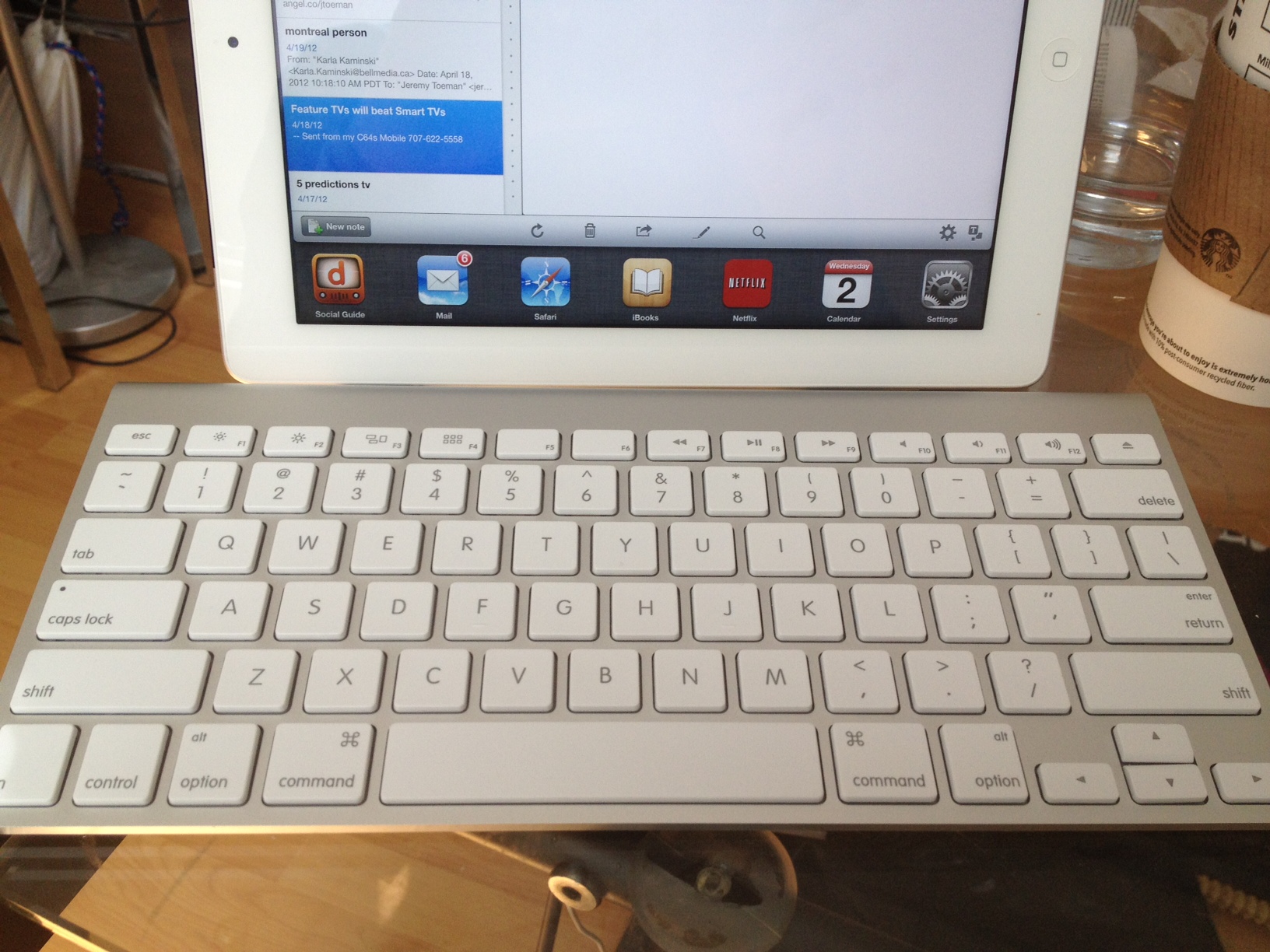
At this point, my iPad has effectively replaced my laptop for everything other than photo management and documents.  The former isn’t going to change, but I realized that having a keyboard might notably improve my ability to work on longer docs and emails.  I’m currently trying out the Apple wireless keyboard (with handy protective sleeve from local vendor SFBags) though I’ll also give the new Logitech ultrathin keyboard a try (if/when it ever ships).

In my first day the difference was notable.  I’ve created Evernotes, long emails, and in general found the keyboard goes a long way.  Yay for that. Further, there are some handy keyboard shortcuts that make using it even more pleasant.  But I think this could go a long way from where it is.  Granted, there’s no debate that the overall experience around finger-based controls and gestures absolutely trumps using a keyboard, but that doesn’t mean a few power features couldn’t go a long way.  Here are some hopefully easy-to-implement shortcuts that I think would improve the existing experience:

1. Multi-task app switcher (⌘-tab)
Pushing this combo in OS X results in an application switcher.  You can use your mouse to pick an app, or arrows to navigate between them.  Same functionality could be present in the iPad – and once you are using a keyboard, it’s actually fairly inconvenient to tap on the screen to do this.

2. Menus (⌘-N, ⌘-R, ⌘-D, etc)
In an app-specific sense, enable shortcuts for “menu features.”  For example, in Mail, ⌘-N could start a New Message,  ⌘-R could reply, ⌘-D could delete, etc.  App developers could have certain liberty here (potentially) or there could just be a limited set of commands.  Either would be good for any “text-heavy” app where the keyboard is in use.

3. Home  (⌘-Esc or ⌘-Eject, etc)
Simple one – exit the current app back to the home screen.

4. Navigation (⌘-cursor keys)
Per (1) above, but extend it further: if the user is in the “Springboard” interface (aka the “home screen” where you pick an app), enable me to rapidly scroll through apps (or pages of apps) with the keyboard.

5. Switch windows (tab)
Inside any app (with support), the Tab key should switch between windows/frames/inputs.  This is already present in Mail, but only when composing messages.  Why not elsewhere?

6. App shortcuts (⌘-1, ⌘-2, or F1, F2, etc)
This is definitely a “power user” feature, but let me assign 10 apps I use a lot, and quickly launch them from the keyboard.  Alternately, these could be restricted to the 6 apps in the Dock (at the bottom of the home screen).

7. Search (⌘-space)
Much like other tips above, this is borrowing straight out of OS X.  Especially considering the amount search is intended for active use within iOS.

8. Settings (⌘-,)
On my Mac, pushing ⌘-, shows preferences for that application.  In iOS, there’s a global settings screen (not to mention the plethora of apps that have their own).  This shortcut could launch either.

9. Settings Toggles (⌘-F1, ⌘-F2, etc)
Could be predetermined or user-configurable, but how about direct access to toggling certain settings, such as airplane mode, WiFi on/off, etc.  I’d want a Bluetooth one too, but it’d probably only work in one way…

I know in the grand scheme of things this is a pretty minor issue.  The grand majority of iPad owners aren’t using keyboards, and probably never will.  But if someone had time to program Siri with enough depth to tell Zooey Deschanel that it’s not raining out, I can’t see this being too far out of scope…