Archive for September, 2010

Rooting for Roku pt.II

Tuesday, September 28th, 2010

OK, so the other day I made the comment that in order to compete with all the other media streaming boxes out there, Roku should look at really doubling down on more content.

Shortly thereafter, Netflix (another one of my absolute favorite companies) announces a partnership with NBC, thereby giving Roku a helping hand (and yes, other Netflix boxes as well.)

And now this, Roku skillfully lines up Hulu Plus as a content partner. Actually, from my perspective, this is a bigger win for Hulu. As of now, I had held off of getting a Hulu Plus subscription but now, seeing that it will be on my Roku, I may just sign up!

Now with Roku you get Netflix, Hulu Plus, Pandora, Amazon and a bunch of other content providers, plus 1080p output, plus USB playback all at a sub $100 price.

Sure, none of these content partnerships will be exclusive, but Roku provides them all in such a neat, easy-to-use box that is available now.

So remind me, why would you be interested in any other offering out there?

(If they come up with a new UI, I’ll be in TV heaven)

Rooting for Roku

Thursday, September 23rd, 2010

Hello,

I’m a longtime fan of LiveDigitally but a first time contributor. Jeremy has been kind enough to invite me to write for the blog whenever the mood strikes and today seemed like the perfect day for my inaugural post.

Picking up on previous posts on what makes a great Google TV or Boxee app, I thought I’d jump in with some thoughts of my own on one of my favorite devices, the Roku box.

I got my Roku about four months ago and I love it, I really do. It gives me about 75% of the content I would want on my TV, which was enough to get me to “cut the cord” and cancel my cable subscription. So for the past few months, Roku has been my rocket ship to the TV universe.

I haven’t seen Roku’s latest offerings, but here are some thoughts on what I have seen and heard about their current boxes:

  1. Roku wins universal praise for its ease and setup, but not so much fanfare for its UI; I can’t disagree. The box is dead-simple to set-up and use, which is great. But the UI is uninspired and doesn’t really encourage you to really delve in to what is on offer
  2. Another piece of high praise is reliability, my box hardly ever flakes and we put it through the ringer. It is hard-wired into my router so I can’t vouch for the wifi capability, which appears to be improved in the new boxes launched today
  3. Content: At the outset, Roku was essentially a Netflix box. That was great a year-or-so ago but now, everyone and their brother is a Netflix box. Roku has some nifty content like MLB, Pandora, Amazon and a few others, but they need to continue to expand with more mainstream stuff.  Apple has Netflix and just scored ABC and FOX. It isn’t a huge leap forward, but it may be enough to peel off Roku users.
  4. Developer community: Related to the content problem, I know from some developer friends that Roku isn’t the easiest platform to develop on. Obviously this is a problem as competitors, both large and small have strong developer communities. Difficult development platform=difficult to get the choice apps/content.

Some of the pet peeves that are missing from my current box have been addressed by the new ones, the biggest being previously a lack of USB. With my current XR, I don’t have USB to view my own content, which is frustrating. Happily, that has been solved with the XDS

But even as it evolves, Roku is firmly staking ground in the low-end market, which I think is a good move.

The big battle around media-streaming boxes will be around price/performance; Google TV seems to be on the highest end, with estimates that their box will be in the $200-$300 range, Boxee is next at under $200, with Apple TV and Roku coming in at the sub $100 range.

GoogleTV and Boxee promise a more active experience, with more features, web surfing  etc., but also with a more complicated remote/UI. AppleTV and Roku look to be more of lean-back experience of just watching content via a simple remote/UI.

My money is on the lean-back experience, which I think is more viable for the short term. A simple box that lets people access most of the content they want will be the gateway drug to media-streaming boxes. Boxee and Google TV look/sound great on paper, but I wonder if they may be too complex too early in the lifecycle of this product segment.

How-to: Make a Better Boxee Box App

Friday, September 17th, 2010

In part 2 of our series on how to make better ten foot user experiences for PC/TV/Internet convergence devices, we take a look at Boxee Box apps.  The Boxee downloadable app for Windows/Mac/Linux is pretty popular, and has apps from tons of different sources.  In the Boxee Box by D-Link (full disclosure: I have a professional relationship with them, which has nothing to do with this post), however, the usage model is probably going to be quite different than the computer-based download.  The user experience for the embedded environment, plus a remote with limited (though very cool) keyboard, and no mouse interaction, combined with a changing user demographic, means a different way to think about apps is required.  Hopefully a lot of app developers are realizing these differences, and beginning to update their apps in advance of the product launch this fall.  If not, here are some tips to help get you going!
  1. Avoid Input Fields At All Costs
  2. Create Consistent Remote Interaction
  3. There is no Back Button
  4. Make it Move!
  5. Redirect for Account Creation
  6. Include a “Sit Back and Watch” Mode
  7. Your Boxee Box App CANNOT Be “Your Website Only Way Bigger”
  8. Keep Your Menus Visible When Needed!
  9. Your App Needs a Social Life
  10. HD is Pretty

Click here for the details.

Click here for the Top 10 Tips to make a better Google TV Site.

How-To: Make a Better Google TV Site Experience

Thursday, September 16th, 2010

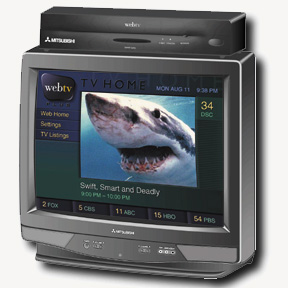
Over at the Stage Two blog we’ve decided we’ll put up a lot more convergence/usability/experience advice blog posts.  First one went up today regarding 10 Essential Tips to Build Great Google TV Sites.  Kind of a funny start to the series, since I’m not a big proponent of the “1.0″ version of Google TV, but since it’s probably coming to market pretty soon, I felt the timing was relevant.  The reality check here is I’m seeing a *massive* repeat of the WebTV era, wherein companies made faux “ten foot versions” of their web sites, but didn’t actually re-orient or re-engineer them to be “TV versions”, which are two very different things…

Summary of the tips:

  1. Avoid Input Fields
  2. Incorporate Animated/Moving Backgrounds
  3. No Tiny Fonts
  4. Use The Entire Screen
  5. Site Navigation Should Be Via Remote
  6. Google TV CANNOT Be Your Website Only Way Bigger
  7. Performance is Critical
  8. Choose Colors Wisely
  9. Do Assume the User Has a Computer
  10. KISS: Keep it Social, Stupid

Click here for the details.

    Predictions for Apple event, Sept 1 2010

    Wednesday, September 1st, 2010


    Watch live video from Jeremy Toeman on Justin.tv

    In a nutshell:
    - iPad iOS 4.0
    - refreshed iPods, with wifi
    - no 3x3cm iPod touch
    - adding “touch” to iPod classic
    - iTunes with internet streaming & sync
    - no iTV announcement today
    - iBeatles