 I first saw the Logitech Harmony remote back when they were a small Canadian company, demonstrating it at a trade show a couple of years ago. Their initial demos focused on giving EPG functionality to a LCD screen on the remote, but thankfully they made a switch into offering what I will have to call the best damn remote control on Earth. Then Logitech bought them, and 2 years later they’ve managed to not screw it up! Is the Harmony 880 perfect? Nope, but it’s as close as I’ve seen.
In my mess of living room devices are the following:
- Sony AV receiver
- Syntax Olevia LCD TV
- Motorola HD DVR cable box (DCT-6412 Mark III)
- Moviebeam
- Samsung DVD player (with HD upscaling)
- 2 Slingboxes
- Xbox (no 360 yet)
- Sonos
- Gefen 4×1 HDMI switch
 I have a lot of remotes – 6 of them to be precise. I’ve connected the video for the Moviebeam, DVD player, and DVR to the Gefen switch, which is connected to the LCD. All audio runs directly through the Sony receiver. Changing inputs requires 2 remotes, and then I need the actual device remote. As of about 2 hours ago, I only need one remote now, the Harmony 880.
The Harmony is shipped in Logitech’s signature green packaging (with a nice bubble exposure to show the actual unit), although I almost lost a finger trying to open the thing. it comes with a docking station, a rechargable battery, a USB cable, a quick start guide, and the setup software. After the initial charge was complete, I moved right into setup.


 First step was to download and install the Harmony software (easy, but I’d rather not have had to register just to do it). A few minutes later I followed the very intuitive step-by-step setup wizard, and within about 10 minutes everything other than the Gefen switch and Moviebeam were in my devices list. You may be wondering why I was using my laptop to configure my remote control, but trust me when I say it’s worth it. I’ve tried many many different programmable remotes over the years, and they are all awful (yes, especially including the horrific Pronto from Philips). Whether its entering bizarre 4-digit codes or worse yet, pointing two remotes at each other and pushing buttons in odd sequences to ‘learn’ functions, the experience is always bad. Enter Harmony and the PC.
 In the PC setup wizard, you simply identify the devices you own by category: TV, DVD player, DVR, etc. All you need to know is the make and model, they have it in their database (although I’ll explain later what happens if they don’t – but don’t worry, they do). The software then uses USB to automatically program the appropriate infrared signals into the Harmony for you. Done. Game over!
 And that’s when Harmony starts getting cool. They also have the concept of ‘activities’. An activity is “watch TV”. When I push the “watch TV activity” on the screen of the remote, it automatically performs a macro (a series of commands) to turn on my TV (if its off), switch it to the right input, turn on my Sony receiver, switch it to the right input, and turn on my cable box. Automatically. Best part is this: at the end of the macro, the remote asks you if it worked properly, and if it doesn’t, it helps you get it working right! The on-screen instructions take you question by question to identify the problem (which can happen if you don’t leave the remote pointed in the right direction long enough, something I did a few times while getting used to it). The screens below reflect the key steps in an activity:


 Also nice in the system is the ability to rename devices, create channel shortcuts, and have discrete volume control (when I push volume up or mute, it affects the Sony receiver, not the Comcast cable box). Altogether a great experience.


With all of the glowing remarks above, I will say it’s not without it’s faults. While I didn’t have the same problems as Steven did, I found the PC software has a lot of clunkiness to it. When setting up the ‘activity’ to control Moviebeam, for example, I couldn’t get it to accept the concept that my Samsung DVD player doesn’t need to do anything for Moviebeam to work (I did eventually find a manual override, but it was buried deep within the user interface). Also, integrating the Gefen 4×1 HDMI switch was much harder work than it should have been (not due to Gefen, but because Harmony doesn’t have the concept of separate audio and video switching). Finally, the software requires a lot more confirmations and clicking ‘next’ a lot than I think is really needed – I would like to see an ‘advanced users’ version that gives you more direct control over the system (obviously this should be an optional mode, but it should be there somewhere).
There are also a few snags in the physical design of the 880. For example, the playback controls are not distinct in shape, size, or layout, so until you learn that ‘play’ is the upper right button, you’ll never go there instinctively (but the backlight ‘glow’ effect of the remote almost makes up for this). Also the volume and channel change buttons are a little tricky to get comfortable with. Finally, there’s no ‘cancel’ button to exit out of the help or other interactive screens.
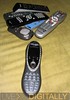 But these complaints are really just minor nuisances. If you own 3 or more living room gadgets, grab a Harmony. Think I’m the only one who likes it? Check out Bombippy, Keith, and DigitalGrabber for some other reviews (nope, don’t know any of em). Without any further hesitation, I’m declaring the Logitech Harmony 880 absolutely LD Approved!
