Archive for April 12th, 2005

Digital Dirt Biking

Tuesday, April 12th, 2005

According to the Motorcycle Industry Council over 1 million dirt motorcycles were sold in 2004, this being the most recent in an steady upward trend since 1993. It appears that Americans have a new found fascination with off road motorcycles not seen since the 70’s. If you are among the masses that “Do it in the dirt” or even if you are toying with the idea of tearing up trails in the great outdoors, there is good news. Not only has the recent decade brought more numbers to the world of off-road riding, it has also brought some new innovations as part of our digital world. I am here to give you insight into some of these new innovations and take you from the back of “Pa’s” truck to the latest in dirt rider technology. So put on your Internet helmet and reading gloves and try to keep up, kid.

Autocom Auto-Volume Music System for Motorcycles

Nothing gets your blood pumping like a nice ride through the peaceful trails of our great nation, being at one with nature, breathing the fresh air, observing the wildlife and gassing it over every obstacle in your way with Slayer blasting inside your helmet, right? Well the gods of technology have smiled upon us with the Autocom Auto-Volume Music System. This little gem was originally developed for street bikes but it works equally well for the off road rider too. It adjusts the volume of your favorite adrenalin inducing tunes according to the amount of noise picked up in a cleverly disguised microphone in the headphone connector. So now when you are riding full throttle you are able to hear every note of that wailing guitar solo and when you come to a stop and need to communicate with others, your not fumbling through a backpack looking for a volume adjustment knob on a Discman.
(more…)

Old Skool

Tuesday, April 12th, 2005

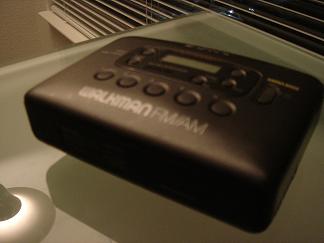
Are you a pack rat? Well gosh darnit, I am. Living in 686 square feet in some of the most expensive real estate in the universe doesn’t help the habit at all. As I was cleaning out my ‘beloved belongings,’ I came across my old SONY Cassette Walkman. Wow has time passed since I used you. I used to rock to Kenny Loggins and Debbie Gibson on this gem, now it was relegated to the bottom of an Office Depot fold together white moving box in the catacombs of my closet.

walkman

Memories…from the corner of my mind….Now my Ipod Mini is the new king.

Kensington Pocket Mouse Micro Optical Wireless Model 72237

Tuesday, April 12th, 2005

Kensington 72237The Kensington Pocket Mouse fits in between the other two mice: in size, features, and price. The mouse itself features a sharp black and metallic silver design. It reminds me of the interior of an Audi TT. The mouse is symmetrical allowing for left handed use. The mouse glides with minimum effort, and clicks satisfyingly. The scroll wheel is rubberized and works well. Included in the package is the mouse, the transceiver, a manual, and 2 Duracell AAA batteries, but no carrying case. The manual states that there is software to be downloaded off the company website, however the mouse worked just fine natively in Windows XP Home without any additional software.

Kensington 72237The wide body allows the transceiver to be housed in the body of the mouse. With this slick design, pressing a button on top of the mouse pops out the transceiver, which can only go in right side up. The transceiver is small enough that even with closely spaced USB ports, it does not block the other ports. The space in the mouse gets covered by a pop up door to cover the opening which keeps dust out and maintains the sharp lines.

Kensington 72237Power is supplied by 2 AAA batteries. The battery compartment is accessed by pressing the black top in the center. There is no published battery life estimate. They lasted over 10 days of testing with no problems. The battery power indicator is the translucent scroll wheel, allowing the red LED to shine through. This is a very neat feature, which looks especially dramatic at night. Popping out the transceiver turns the mouse on and replacing the transceiver turns it off.

Kensington 72237The Kensington Pocket Mouse uses a Quick RF technology (30% faster according to the package). I’m honestly not sure what this is supposed to mean, but it does work very effectively. It has a working range that matches the Logitech product, with a generous 12+ feet measured. I believe it uses the 27 MHz frequency. There was no interference with cordless phones or my WiFi network during testing.

Kensington 72237The optical engine uses Diamond Eye technology. This is an 800 dpi sensor. It tracked accurately on every surface tested, except the very difficult glass window that fools most mice. It never hesitated or lost communication on a variety of surfaces including carpeting, formica, and my pants leg!

Overall, this was a strong entry. The Kensington Pocket Mouse also is LD Approved. While it retails for $49, the street price is less. One downside is that for users who like to keep their notebooks permanently set up with the transceiver in the USB port, there is no way to turn the mouse off without removing the battery cover. This may not be a big issue though, as the mouse goes into a sleep mode after five minutes to conserve battery power.

Belkin Mini Wireless Mouse #F8E825

Tuesday, April 12th, 2005

Belkin #F8E825The Belkin Mini Wireless mouse is an affordable choice for a notebook mouse. The mouse is the smallest of any tested which contributes to its portability. It is made out of plastic, and features tasteful silver buttons, a rubberized plastic black bodyand a rubberized scroll wheel as well. The body houses 2 AAA batteries for power. There is an on/off switch on the bottom of the mouse to save the battery when not in use.Adults with large hands may find the mouse is too small to use for extended time periods. For children, and adults with smaller hands, it is a comfortable, and a usable size.

To operate, the Belkin mouse requires plugging in a transceiver into a USB port. While not large, with the arrangement of USB ports in notebooks, it will probably obstruct the port next to it. As many notebooks come with 3 or 4 ports, this is probably not a major issue for most users.

Belkin #F8E825The Belkin mouse operates on the safe RF frequency that many other mice and wireless keyboards use. The RF frequency is relatively uncrowded, and should not interfere with anything else you have. If other users are around using it, you should be able to find a clear channel (there are over 2000!). The range is stated to be 3 feet, but I measured only 2.5 feet in testing. If you need a little more range, the included 3 foot extender cord can be used to relocate the transceiver to a closer position. This was the only mouse to include an extender cord, and its generic USB interface could be used for other products as well.

Belkin #F8E825 The 800 dpi sensor performed well. It tracked across all surfaces, except glass, as expected. It tracked perfectly on a tabletop, however, on gray carpeting it would infrequently (once or twice an hour) lose its bearings for a few seconds. A more even surface remedies this, but I was pushing it to the limits for the purposes of testing.

The mouse included written documentation, as well as the driver on a CD. The mouse worked fine without the driver installed on my Windows XP Home computer.

While the mouse is small, the transceiver could be slightly smaller. It would be great if there was a case included (a mouse-house?), transceiver, and the wire, however, there is none. These are quibbles though. The mouse is a bargain at $29, and for the budget user with smaller hands, this is a solid choice.

Belkin #F8E825It should be noted that during testing, Belkin introduced a newer model of this mouse In fact, it was so new, that none was available to complete the testing. We look forward to testing their newer model at a later date to see what improvements have been made. A smaller transceiver, a longer wireless range, and a case to keep the mouse and transceiver together on the road may earn this mouse the LD Approved rating.

Logitech V500 Cordless Notebook Mouse

Tuesday, April 12th, 2005

Logitech V500If you want the “Wow” factor in a notebook mouse, look no further; this device will impress all who are in proximity to it. This notebook mouse takes the whole cordless mouse category a step higher, and puts many desktop mice to shame. I am a fan of Logitech mice and keyboards and view the company’s products as the BMW of peripherals. If the Bluetooth diNovo is their equivalent of a 745i flagship sedan, then their V500 mouse is their M3 sports car.

Logitech V500The Logitech designers, in fact, could teach a thing or two to the automotive industry about sleek. The fused aluminum skin and integrated left/right buttons exude a modern technology appearance. Careful examination reveals a “4-way solid state scroll panel.” This touch sensitive panel replaces the traditional wheel. This also eliminates moving parts and makes the whole device more rugged and mobile. With the scroll panel, you can scroll both vertically as well as horizontally. This is the only mouse tested here with horizontal scrolling (great for heavy spreadsheet or graphics users). It is very easy to acclimate to and use. For scrolling a long distance, just hold your finger down in that direction at the end of scroll panel, and it keeps on going. The scroll panel works so well, I would be surprised if it didn’t appear on some premium desktop mice in the next year or two.

Logitech V500The mouse uses 2 AAA batteries, and is claimed to last for 3 months. While I can’t verify that claim, I will say that I left the Logitech mouse on for over 48 hours by accident (after the photo shoot), and had plenty of power left to complete testing. There is an LED at the back of the mouse that glows green on initial start up if the battery is ok, or red if weak. This is the only tested mouse which provides battery status information.

Logitech V500The Logitech mouse is a little larger than the other products in terms of its width, but I found it more comfortable to hold and use. This also allows the USB wireless transceiver to fit within the body of the mouse for storage. This is a key feature making you less likely to lose the transceiver (the smallest tested), and making it easier for travel. The small transceiver fits nicely in the USB port, and did not block the neighboring ports from use. The transceiver fits into the mouse either right side up, or upside down making it easier to pack up when they announce final boarding in the Dallas/Fort Worth airport. A case is included for the mouse to make transit easy as well. Another nice feature is that the mouse pops up via a switch on the bottom; it goes up ¼” inch, which is 7 degrees. This makes the mouse higher in the back resulting in a more comfortable feel, especially for larger hands. The switch that pops the mouse up also turns the mouse on and off. The mouse is symmetrical, so it can be used by both left and right handed users equally.

Logitech V500The Logitech product also has the best optical sensor here, the “all terrain” optical sensor. While I won’t be trading it in for my four wheel drive in the next blizzard, it uses a leading 1000 DPI camera, the highest of any portable mouse I encountered. The mouse tracks accurately on EVERY surface I tried. This mouse even tracks on a glass window, the elusive “holy grail” for optical mice, and something no other mouse in this article can do. Heck, very few desktop mice can accomplish this feat including the Logitech MX 900 (part of the diNovo desktop package). Gamers will especially appreciate its fast and accurate tracking on a variety of surfaces. This is a great feature on the road, as it means you can leave your mouse pad at home, and have one less thing to carry.

Logitech V500The wireless technology for the mouse is also a standout here. The other mice here use an RF (radio) interface. The Logitech unit uses the 2.4 GHz frequency (also shared by Bluetooth, many wireless phones, and WiFi “b” and “g” networks). Interestingly, it is stated that this is a Logitech proprietary interface, so don’t expect a free Bluetooth transceiver here. That said, despite the crowded frequency, I experienced no interference with wireless networks, Bluetooth devices, or the cordless phone. I was able to surf the Web on a WiFi network using the mouse with no slowdown at all. The range is stated at 30 feet, far longer than anyone would use a wireless mouse from their notebook. I was able to verify the range to 12 feet, but with my notebook’s 12” screen, everything became a bit of a blur anyway.

Logitech V500The packaged contents include written documentation, the 2 AAA batteries, a travel case, and the software on a CD, as well as the mouse and transceiver. The mouse performed fine without the software installed on a Windows XP Home notebook; the software needs to be installed for the horizontal scrolling to be enabled.


Logitech V500Is there a downside to all these standout features? Of course, there has to be one. In addition to the longest range, highest dpi sensor, and smallest transceiver comes the highest price tag. At $69 retail, this mouse crosses the magic $50 barrier. Looking around, some retailers sell it for less, but it is still more than an impulse purchase. Something this finely crafted will likely outlast one or even two notebooks, so from a long term perspective it is reasonable. The price does give the user some exclusivity; I think this is the best mouse for the road warrior who can purchase it on a corporate account. Tell your boss it will increase your productivity on those spreadsheets, and leave out the part about Unreal Tournament after hours at the Doubletree on their wireless network. The Logitech V500 Notebook Mouse is LD Approved.

We’ve Set A Date

Tuesday, April 12th, 2005

Ok, we haven’t done anything… but Apple has! That’s right kids, Apple has set a date for it’s newest OS to be released. OS X 10.4 aka Tiger will be released April 29th. With the growing popularity of the aesthetically pleasing alternative choice computers, comes the most anticipated* OS update this decade.

Apple boasts more than 200 new features and some reports say that the OS is so much faster that your socks just may catch fire if you’re not careful. Orders are being placed for $129.00 on Apple’s online store starting today. Mac lovers are about to fall in love all over again.

4,644 Feet Below The Ocean Floor

Tuesday, April 12th, 2005


Sometimes I forget that we live on a huge rock with a hot magma core. I usually disregard the molten lava flowing under my feet when it’s 55 F outside and I’m wearing a beanie and mittens. The IDOP (Integrated Ocean Drilling Program) hasn’t forgotten about it though, and they’re doing something about it.

In eight weeks time, the IODP drilled an amazing 4,644 feet below the surface of the ocean floor. Apparently the surface of the earth (aka the crust) is thinner on the sea floor than on dry land. This is the 3rd deepest hole in the ground that man has dug. I feel like these guys, the IODP, are Bruce and Ben from Armageddon, so then where’s Liv Tyler in this story??

There’s also mention of learning the Earth’s structure and composition helping us to understand how the earth evolved and is changing, but I lost focus when I couldn’t find the Liv in this story.

BuzzWorthy

Tuesday, April 12th, 2005

Buzztracker follows the headlines from Google News and uses an algorithm to actually visualize the relationships between geographic locations and the buzz they are creating. I’m a big fan of sites likes these. We live in a digital era, so I say, ‘Why not have a little fun with how we get our news.’ I’ve come across many different sites like this. In fact, one site which I wrote a story for at Wired, Ten by Ten, is now up for a Webby award.